


About the Venue
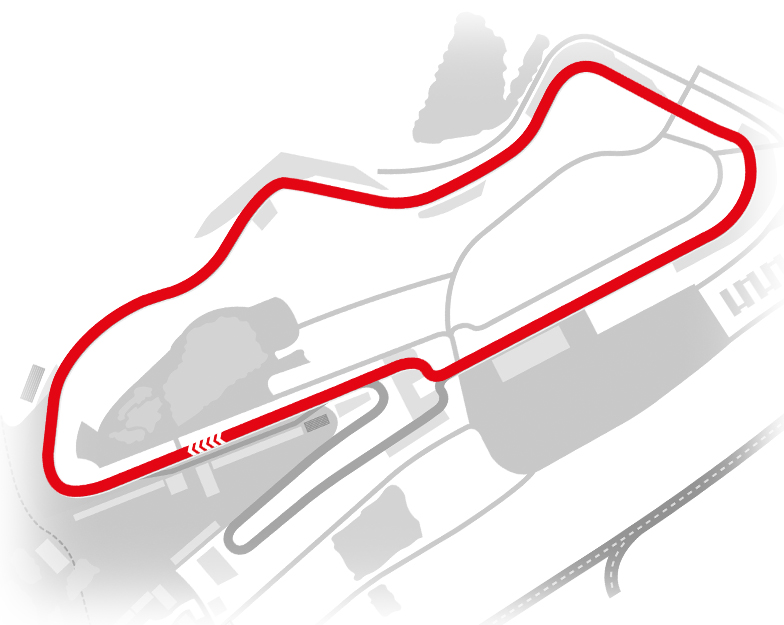
The Donington Park National Circuit in Derbyshire is a 1.98-mile (3.19 km) premier UK racing venue owned by MSV, hosting major events like the BTCC and British GT, featuring 10 challenging turns.
Key Details of the National Circuit:
- Length: 1.98 miles (3.186 km).
- Configuration: 10 turns (4 left, 6 right).
- Key Features: Fast, undulating, with iconic corners like Craner Curves, Old Hairpin, and Fogarty Esses.
- Lap Record: 57.221 seconds, set by Marijn van Kalmthout in 2011.
- Layout: The National circuit uses the shorter layout, missing out the expansive "GP Loop" added in the late 90s.
Upcoming Events
.png.28b97b98c6f607135bc19da847e88061.png)

Donington Park is a proper driver’s circuit. It’s fast, flowing and incredibly rewarding when you get it right. The run through the Craner Curves and down to the Old Hairpin is one of those sections where you really have to trust the car and commit — once you find the rhythm there, the whole lap comes together.
The National layout might be shorter than the full GP circuit, but it’s packed with character. Every corner matters and small mistakes can cost you momentum all the way down the next straight. That’s what makes it such a great place to race.
I’m really excited to start the season here in April. If you’re following the Team Tofty journey this year, let me know you’re watching by RSVPing - it would be brilliant to know who’s cheering us on from home.
105.mp4 DP Map_National.pdf
The National layout might be shorter than the full GP circuit, but it’s packed with character. Every corner matters and small mistakes can cost you momentum all the way down the next straight. That’s what makes it such a great place to race.
I’m really excited to start the season here in April. If you’re following the Team Tofty journey this year, let me know you’re watching by RSVPing - it would be brilliant to know who’s cheering us on from home.
105.mp4 DP Map_National.pdf